By the time you look,
it's already done.
Handled is the to-do list that does. Put a task down and get on with your day — it comes back with real options, ready to act on. What it can finish, it finishes.
Sign inCreate an accountRequest the iPhone beta
Put it down. That's the whole job.
Put it down.
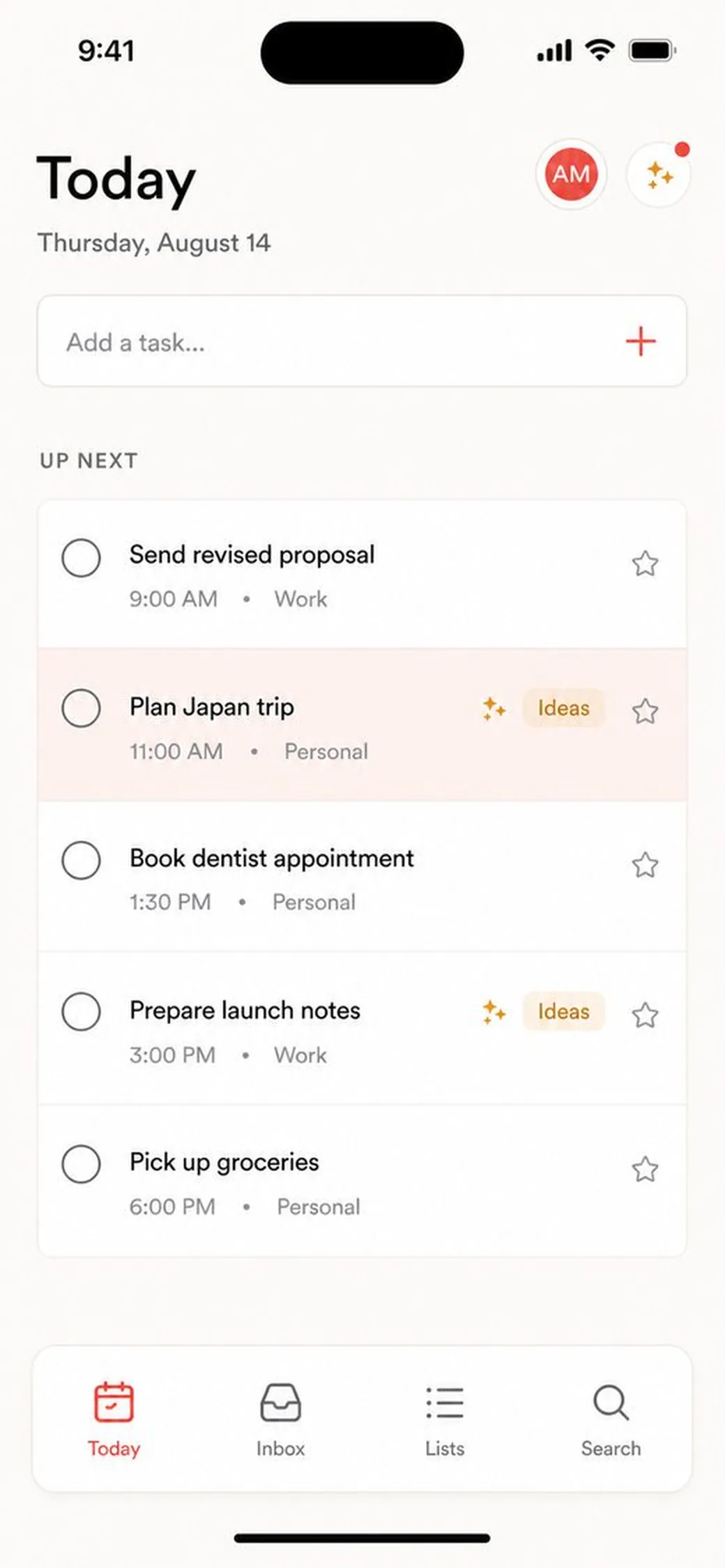
Type it the way you'd say it — "plan Japan trip," "book the dentist." No settings, no instructions. A normal to-do list, as fast as the one you have now.
It figures out how to help.
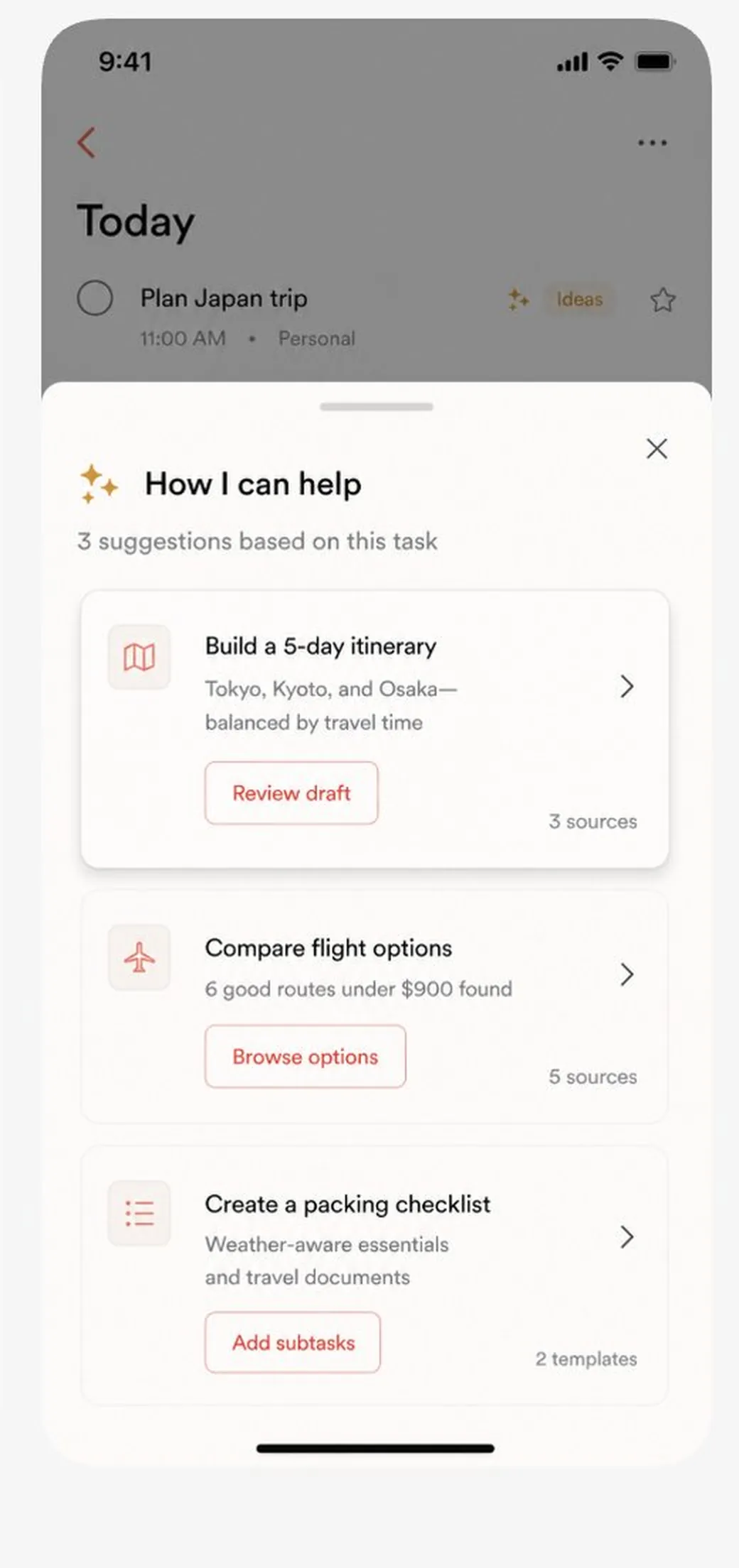
While you get on with your day, Handled researches, compares, and drafts. A quiet Ideas tag appears on the task when something useful is ready.
You say yes.
Open it, pick what you like, tap once. The plan lands on your list as real subtasks and reminders — and anything it can safely finish, it just finishes.
Answers, not links.
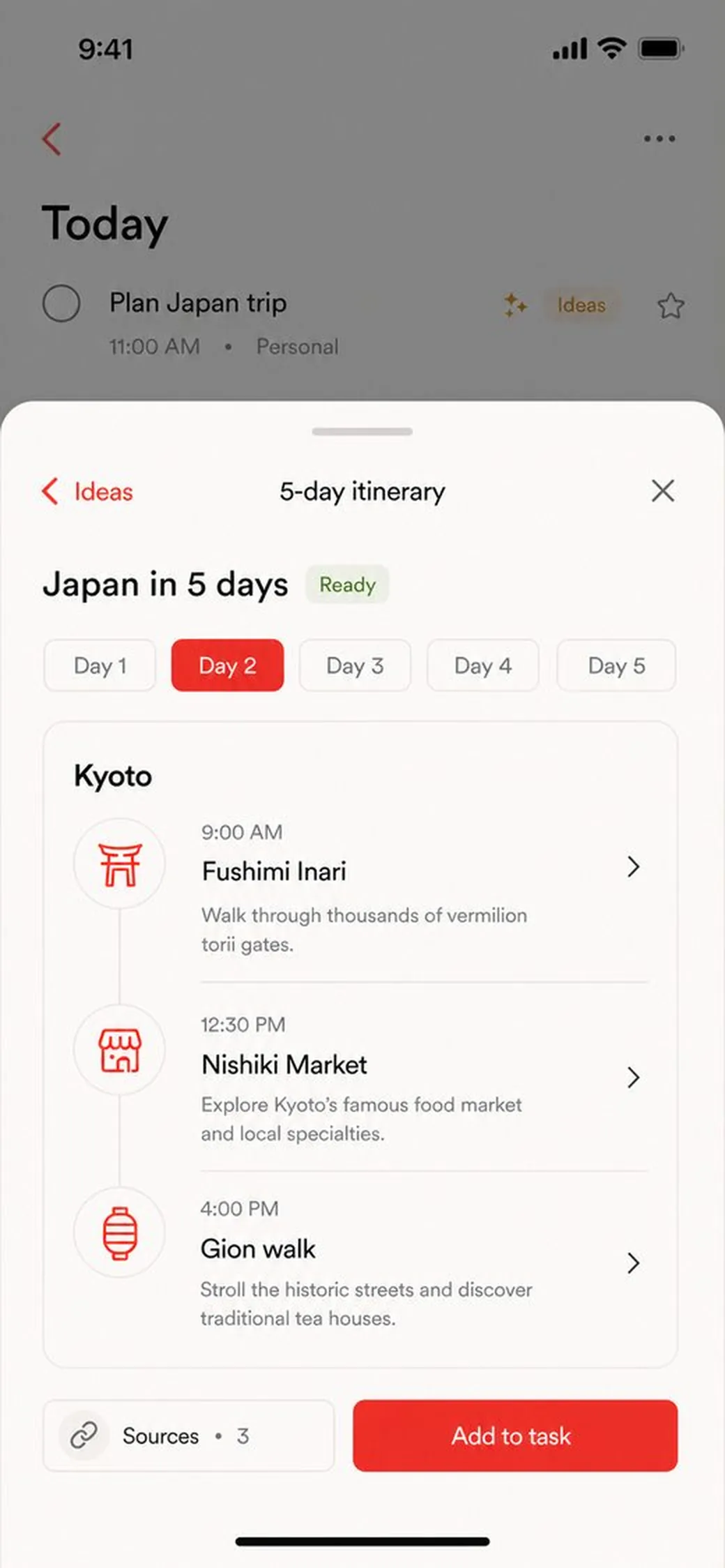
Write "Plan Japan trip" and get a day-by-day itinerary. Write "book flights" and get six good routes with a clear winner. Not a page of search results — the thing itself, done, waiting for your yes.
It works while you don't.
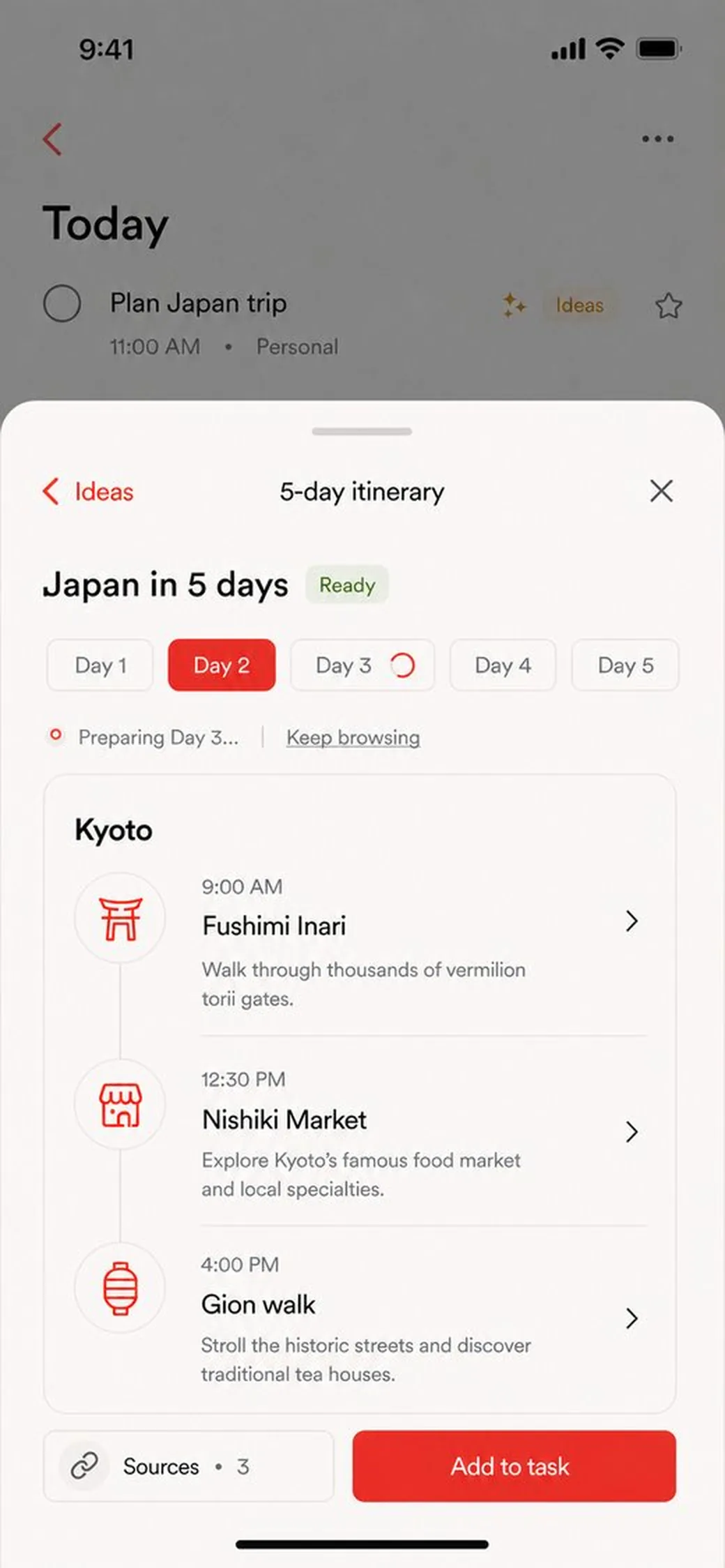
Handled keeps going in the background — preparing the next day of your trip while you read the first one, watching that fare while you sleep. You never sit through a loading screen. Things are simply ready when you are.
Not sure? You get options.
When there's more than one good way to help, Handled doesn't guess and doesn't interrogate you. It lays out its best three — build the itinerary, compare the flights, pack the bag — and you tap the one you want.
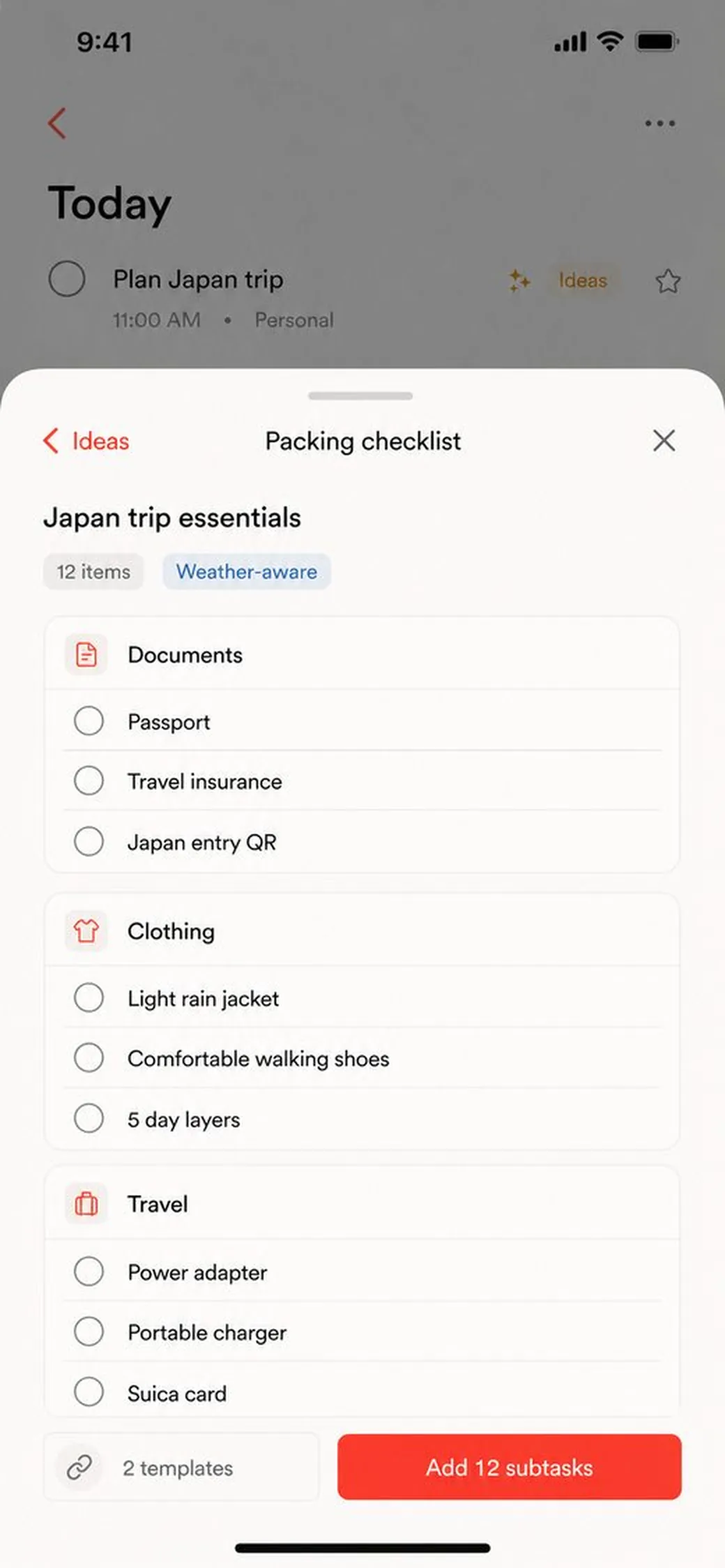
Say yes once. It's on the list.
Approve the packing list and twelve subtasks appear on the task, checked off as you go. Approve the fare and it's watched — you'll hear if the price moves. Approve the follow-up and it sends itself at the right moment.
Your list, worth looking at.
Everything Handled finds also lands in a visual feed — fare drops, itinerary drafts, the one number your launch post needs. Scroll it like a magazine about your own life. Save what's good and it files itself under the right task.
The small stuff, it does. The big stuff, you decide.
Research, comparing, drafting, and watching happen on their own. Anything that spends money, sends a message, or leaves the house waits for your tap.
Asks before anything big.
Booking, buying, sending, sharing — each one happens only when you say yes.
Shows its work.
Every recommendation carries its sources, so you can see where it came from and how fresh it is.
Interrupts nothing.
No pop-ups, no streaks, no nudges. One quiet tag on the task, when something is worth your time.
Sign inCreate an accountRequest the iPhone beta